


Copy my Claude prompt: Create a personalized customer video with AI in under 10 minutes

The video below is narrated by me. I never recorded a word of the script.
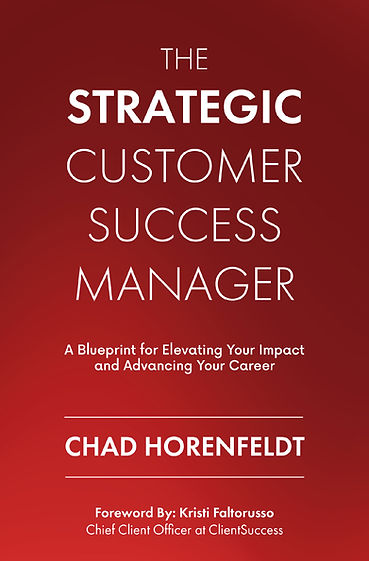
I didn't hire a designer, a voice actor, or an editor. I didn't open video software. I gave an AI my book highlights, a photo of my book cover, and a sample of my voice, and it did the rest: the script, the slides, the narration, the music, the final cut.
If you're still spending days producing a single video, or not making videos at all because it's "too much work," that excuse is gone. Here's the video, and the exact prompt I used to make it.
How I made it
The content: I pulled my Kindle highlights from the book through an app called Readwise. You don't need Readwise - you can use any notes or content you have, or other sources like your CRM, call transcripts, emails, or Slack.
The story: Claude turned my highlights into a narrative, then into a spoken script with one segment per slide.
The design: Claude designed every slide itself in my book cover's colors, using simple diagrams and icons instead of walls of text. I asked for a four-slide sample first, then had it build the rest.
The voice: the built-in Mac voices that Apple provides weren't good enough, so I switched to ElevenLabs (~$5 a month). Eventually, I sampled my own voice and created a clone, so the video is narrated by me.
The music and assembly: Claude composed royalty-free background music (which was cool in itself), mixed it under my voice, and assembled the final video.
The first version took an afternoon of experimenting. The prompt below captures everything I learned, so you can do it in under 10 minutes.
The AI prompt
I used Claude Code in the Claude desktop app, which can run tools on your computer. Fill in the brackets, paste it in, and answer the few questions it asks. Adjust it as you see fit
I want to create a professional narrated video about [TOPIC — e.g., my book
"Title" / our customer onboarding process / our Q3 product launch].
SOURCE MATERIAL
- Use [my highlights or notes / the attached document / data from our CRM,
  call transcripts, emails, or Slack].
- First, write a narrative that organizes the material into a clear story arc
  (not just a list of points), and tell me which important topics the source
  material doesn't cover. Show me the narrative before making the video.
SCRIPT
- Turn the narrative into a spoken script of about [6–8] minutes: short
  sentences, conversational tone, numbers written the way they're spoken.
- Split it into one segment per slide (about 12–14 segments): an intro, one
  segment per key idea, and a closing call to action that says
  "[To learn more, visit yoursite.com]".
- Credit authors and contributors accurately. [I am the sole author; X wrote the foreword.]
SLIDES
- Design the slides yourself as HTML/CSS pages with one shared stylesheet,
  and render each to a 1920x1080 PNG with headless Chrome.
- Design: premium keynote style in my brand colors [describe them, or attach
  your logo or book cover]. Use large, minimal text and vary the layouts:
  pull quotes, big numbers, simple diagrams that explain each idea, and
  line icons. Add a small section counter.
- The final slide shows the call-to-action URL in very large type.
- Show me a sample of 4 slides before building the rest.
- Before assembling, review all slides on a contact sheet and fix any text
  that overlaps, gets cut off, or runs past the edge.
NARRATION
- Use the ElevenLabs voice "[voice name — or the name of your cloned voice]".
  My API key is saved in ~/.elevenlabs_key; read it from there and never print it.
- Record each segment as its own audio file, so voices can be swapped later
  without redoing everything.
- Normalize the narration volume so it's consistent and clear.
MUSIC
- Compose soft, royalty-free, inspirational background music (don't
  download anything). Keep it well under the voice, and make it gradually
  build in intensity over the last third, peaking just before the closing
  slide, then fade out.
ASSEMBLY
- Use ffmpeg to build a 1080p MP4: each slide stays on screen for exactly
  its narration plus a short pause, with a slow subtle zoom and gentle fades
  between slides.
- Keep each slide's clip separate, so sections can be reordered quickly.
- Before giving me the video, check that the slides line up with the
  narration and that the music sits well below the voice.
Then show me the video and list the timestamp of each section,
so I can give feedback on order, design, and voice.
You'll most likely need to experiment and iterate but the goal here is for you to expand what you can do with AI and to show you how easy it is.
Creating your own videos as a customer success manager
Think about how you can use this concept to create personalized videos for your own customers. Let me know what you create!

Comments